Cloud Migration Strategies
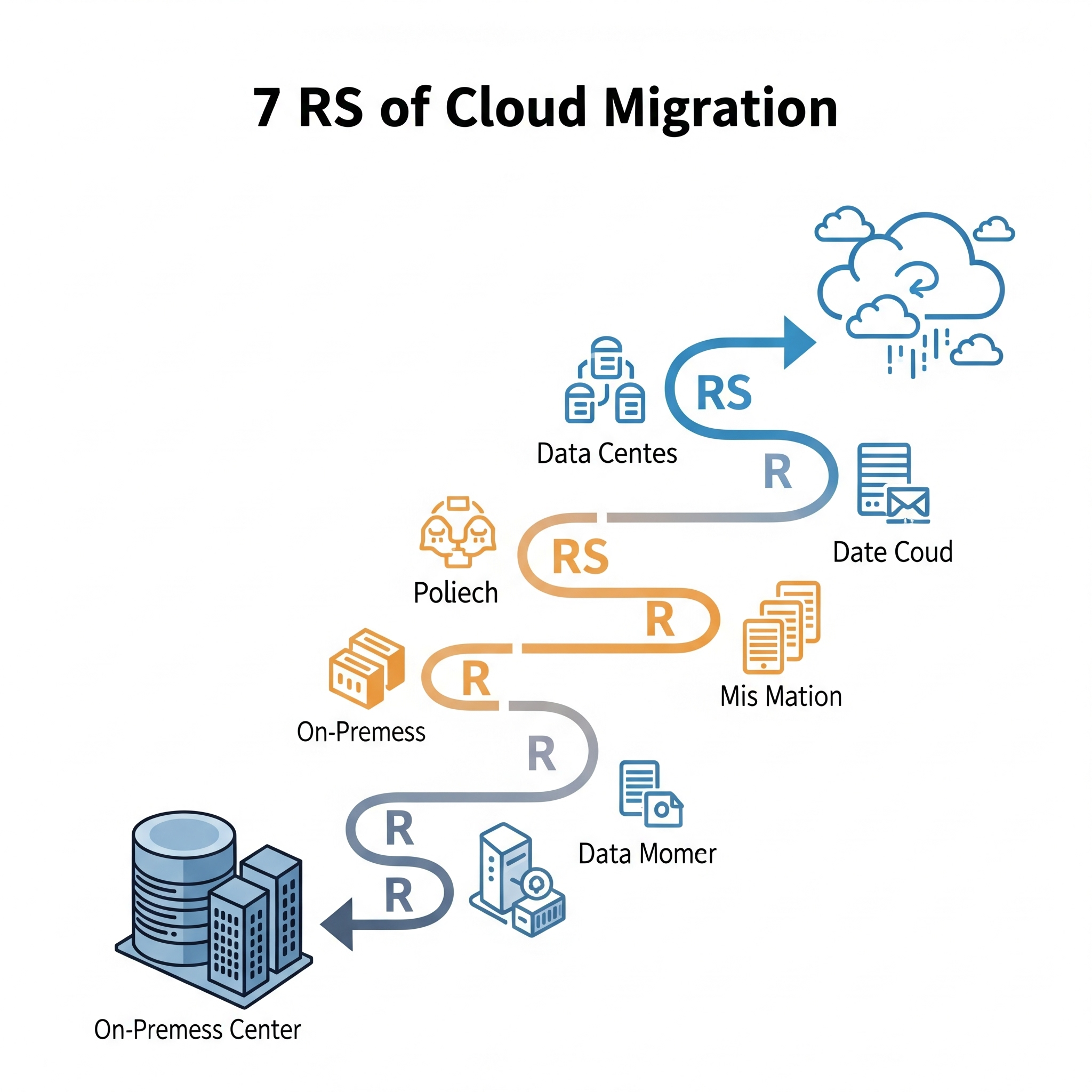
Cloud migration strategies provide organizations with a structured path to move applications, data, and workloads from on-premises environments to the cloud. Commonly referred to as the “7 Rs of Cloud Migration,” these strategies include rehosting, relocating, replatforming, repurchasing, refactoring, retaining, and retiring. Choosing the right approach depends on business priorities such as scalability, performance, security, and cost efficiency.
The 7 Rs of Cloud Migration
Rehost (Lift and Shift)
Move applications to the cloud with minimal changes. This is quick and cost-effective but may not maximize cloud-native benefits.
Relocate
A more technical version of rehosting, relocation migrates applications at the hypervisor level, often requiring fewer adjustments but offering limited long-term flexibility.
Replatform (Lift and Reshape)
Make moderate changes to applications during migration, such as shifting to managed services like cloud-based databases. This balances speed and optimization.
Repurchase (Drop and Shop)
Replace existing applications with cloud-based SaaS solutions. This approach reduces management overhead and improves agility but may require retraining teams.
Refactor / Re-architect
Redesign applications to leverage cloud-native capabilities such as microservices, containers, and serverless computing. While resource-intensive, this delivers maximum scalability and performance.
Retain
Keep certain applications on-premises due to compliance, latency, or cost concerns. Retention ensures a hybrid approach where only suitable workloads move to the cloud.
Retire
Identify and decommission outdated or redundant applications to reduce costs and simplify the IT environment.
Steps to a Successful Cloud Migration
Assess Current Environment
Evaluate your IT infrastructure, applications, and data to identify what should migrate and what should remain.
Choose the Right Strategy
Decide on the best “R” or combination of strategies for each application, depending on business value and technical requirements.
Select Cloud Provider & Model
Compare cloud providers like AWS, Azure, and Google Cloud while selecting a suitable model—IaaS, PaaS, or SaaS.
Plan and Execute
Create a detailed migration roadmap, ensuring security, compliance, and cost control. Execute the migration in manageable phases.
Monitor and Optimize
After migration, continuously monitor system performance, manage costs, and optimize workloads to achieve long-term benefits.
Cloud Migration in Practice
AWS Cloud Migration Strategies:
AWS supports rehosting, replatforming, refactoring, and hybrid models, with services like AWS Migration Hub and AWS Database Migration Service.
Azure Cloud Migration Strategies:
Microsoft Azure provides tools like Azure Migrate, making it easier to assess, migrate, and optimize workloads.
Real-world Examples:
Businesses often combine rehosting for legacy systems, replatforming for critical apps, and refactoring for innovation-driven workloads.
AWS vs Azure vs Google Cloud: Which Is Best for Enterprises?
AWS: The Most Comprehensive Cloud Ecosystem
-
Strengths:
-
Extensive global infrastructure with the largest network of data centers.
-
Wide range of services across storage, compute, networking, databases, and analytics.
-
Ideal for enterprises managing large-scale, complex workloads or requiring global reach.
-
-
Use Cases:
-
Multinational corporations needing reliability and global performance.
-
Businesses running diverse workloads, from enterprise apps to IoT.
-
Azure: The Best Fit for Microsoft-Centric Enterprises
-
Strengths:
-
Seamless integration with Microsoft products like Office 365, Dynamics, and Windows Server.
-
Industry-leading hybrid cloud solutions through Azure Arc and Azure Stack.
-
Strong presence in regulated industries due to compliance and governance capabilities.
-
-
Use Cases:
-
Enterprises already invested in Microsoft technologies.
-
Organizations requiring hybrid deployments with on-premises and cloud integration.
-
Google Cloud: Powering AI, Data, and Innovation
-
Strengths:
-
Advanced tools for AI, machine learning, and data analytics, including TensorFlow and BigQuery.
-
Open-source leadership with Kubernetes, Anthos, and cloud-native technologies.
-
Flexible pricing models that support cost optimization.
-
-
Use Cases:
-
Businesses driven by data-intensive workloads such as predictive analytics and machine learning.
-
Enterprises prioritizing open-source and cloud-native development.
-
Ultimately, the best provider depends on your enterprise’s technology ecosystem, business priorities, and long-term goals. Many enterprises even adopt a multi-cloud strategy, leveraging strengths from all three platforms.
Hybrid Cloud vs Multi-Cloud: Pros, Cons & Use Cases
A hybrid cloud combines private cloud infrastructure with public cloud services, creating a unified environment where applications and data can move between the two. This approach gives enterprises flexibility, allowing them to keep sensitive workloads on-premises while using public cloud for scalability and cost efficiency. Hybrid cloud is particularly useful for organizations that operate in regulated industries or need to balance performance with compliance requirements.
Pros and Cons of Hybrid Cloud
The main advantage of hybrid cloud is control. Enterprises can maintain security and compliance by keeping critical data in private environments while enjoying the agility of public cloud for dynamic workloads. However, managing a hybrid setup can be complex. Integration between private and public systems often requires advanced networking, governance, and monitoring tools, which can increase costs and operational challenges.
Understanding Multi-Cloud
A multi-cloud strategy involves using services from more than one cloud provider, such as AWS, Azure, and Google Cloud. Rather than combining private and public resources, multi-cloud focuses on distributing workloads across different public platforms. This gives enterprises the freedom to choose the best provider for each workload, whether it’s AI on Google Cloud, hybrid integration on Azure, or global scalability on AWS.
Pros and Cons of Multi-Cloud
Multi-cloud delivers flexibility, cost optimization, and reduced vendor lock-in. Enterprises can avoid being tied to a single provider and take advantage of unique strengths across platforms. On the downside, managing multiple providers can create challenges in governance, security, and cost tracking. Teams also need expertise in each platform, which can raise the complexity of operations.
Use Cases for Hybrid and Multi-Cloud
Hybrid cloud is best suited for enterprises that handle sensitive data, work in industries with strict compliance requirements, or need a seamless bridge between on-premises infrastructure and the cloud. Multi-cloud, on the other hand, is ideal for organizations aiming to diversify risk, access specialized services from different providers, or optimize performance across global regions. In some cases, enterprises even combine both strategies—using hybrid for compliance and multi-cloud for innovation and agility.
The Future of Serverless Computing
The Rise of Serverless Computing
Serverless computing has shifted the way enterprises build and run applications. By removing the need to manage infrastructure, serverless allows developers to focus on innovation while cloud providers handle provisioning, scaling, and maintenance. What started with simple, event-driven functions is now evolving into a foundation for full-scale, cloud-native systems.
The Future of Serverless Computing
The future of serverless computing points toward expansion into more complex, stateful applications. No longer limited to lightweight tasks, serverless platforms are being designed to manage long-running processes and interconnected services. This makes them suitable for enterprise-scale systems that demand resilience, performance, and scalability.
Another major trend shaping the future is the integration of serverless with AI and machine learning. Developers can now deploy intelligent models through serverless functions, allowing businesses to build smarter, data-driven applications. Coupled with edge computing, serverless will extend intelligence closer to users, powering real-time processing in industries such as IoT, healthcare, and finance.
Is Serverless Computing the Future?
Many experts believe that serverless will become the default choice for cloud-native applications. Its ability to enhance agility, reduce operational overhead, and accelerate innovation makes it highly attractive for modern enterprises. Instead of simply handling background tasks, serverless is set to support entire systems, allowing developers to scale without the burden of server management.
Conclusion:
Cloud migration is no longer just a technology initiative it is a strategic transformation that shapes how organizations innovate, compete, and grow. By carefully selecting among the 7 Rs of migration, enterprises can align their cloud journey with business goals, balancing speed, cost efficiency, and long-term scalability. Whether opting for hybrid models, multi-cloud strategies, or serverless architectures, the key to success lies in aligning technology with vision. As the cloud continues to evolve with AI, edge computing, and serverless systems, businesses that adopt the right migration strategy today will be better positioned to lead in the digital future.
For More information about Cloud Migration Visit!