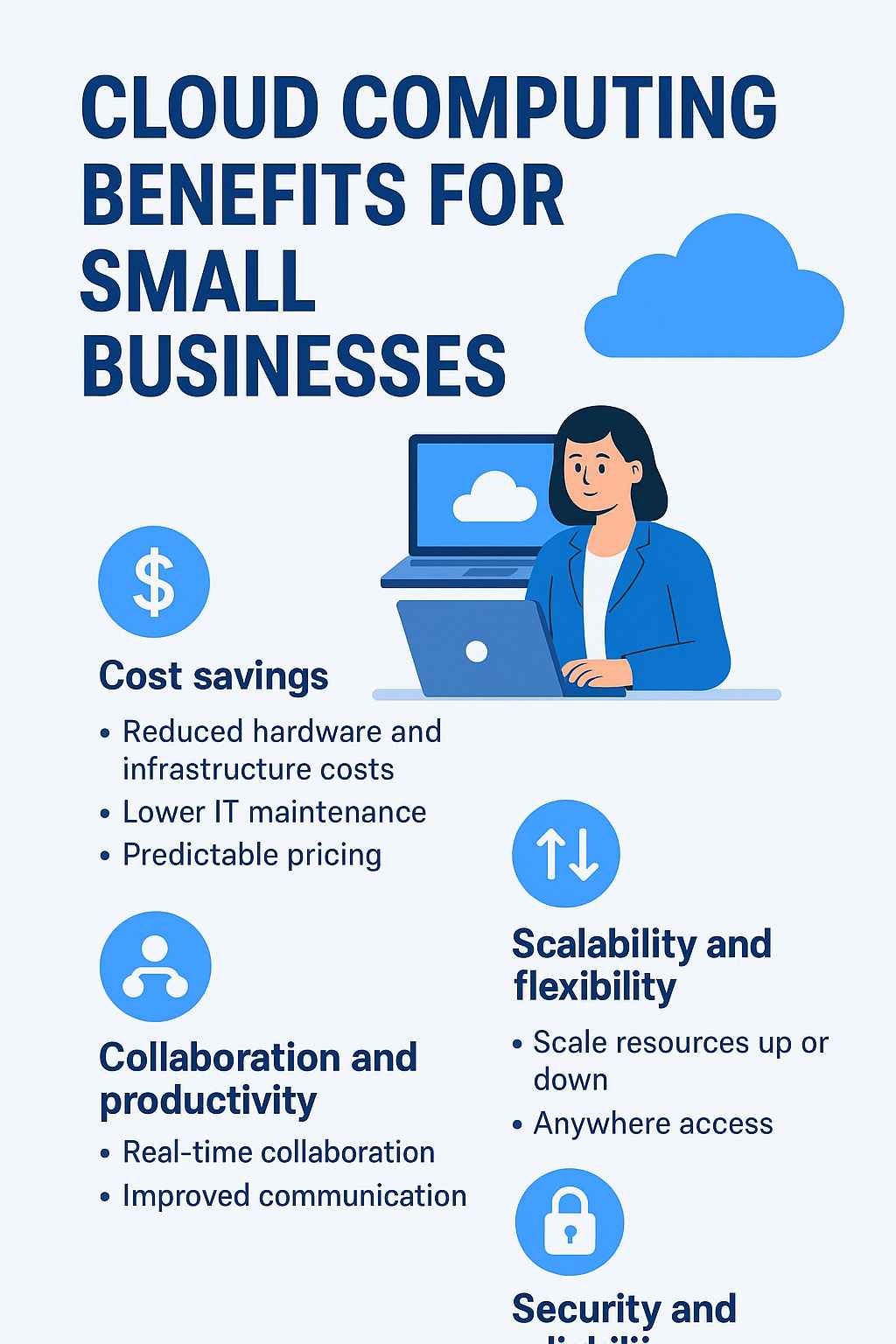
Cloud computing has become one of the most transformative technologies for small businesses looking to modernize their operations without heavy investments in IT infrastructure. Instead of maintaining physical servers and complex hardware, companies can access storage, software, processing power, and collaboration tools online. As more workflows move into the digital space, cloud adoption is now a strategic necessity rather than a luxury.
For many small businesses, operating in the cloud means lower expenses, improved flexibility, easier collaboration, and access to enterprise-grade security that was once out of reach. This guide breaks down the real business value of cloud technology, how it works, and the key advantages and challenges that small business owners should understand.
What Cloud Computing Means for Small Businesses
Cloud computing refers to the delivery of software, storage, databases, and other computing services over the internet instead of using local machines or in-office servers. Most cloud services follow a subscription or pay-as-you-go model, allowing businesses to pay only for what they use.
This model eliminates the need for large upfront hardware costs and gives small companies the freedom to scale up or down depending on demand. Whether accessing files remotely, running business applications, or hosting a website, the cloud allows daily operations to run from virtually anywhere.
Why Small Businesses Are Moving to the Cloud
The shift toward digital operations accelerated rapidly after 2020, and by 2024–2025, cloud adoption among small businesses reached record levels. Owners need quick access to files, the ability to collaborate in real time, and the flexibility to run essential applications on laptops, tablets, or mobile devices. Cloud platforms deliver this efficiency while reducing IT complexity.
Traditional local hosting ties businesses to hardware limitations, expensive upgrades, and on-site maintenance. The cloud replaces this model with online access, automated updates, scalable resources, and robust built-in security features.
Cost Savings: One of the Strongest Advantages
Cloud computing dramatically lowers IT expenditure. Traditional environments require servers, physical storage devices, internal networking equipment, and a full-time technical staff to maintain the setup. Cloud platforms eliminate these upfront costs.
Reduced Hardware Requirements
Businesses no longer purchase or maintain physical servers. Storage, data processing, and applications run on the cloud provider’s infrastructure.
Lower Maintenance Demands
Cloud providers handle updates, backups, monitoring, and hardware replacement. This means fewer disruptions and lower internal IT workload.
Predictable Monthly Pricing
With subscription plans and usage-based models, small businesses can forecast expenses more accurately and avoid expensive surprise repairs.
Scalability and Flexibility
One of the biggest reasons small businesses move to the cloud is the ability to scale instantly. Traditional systems require buying new hardware whenever storage or performance is exceeded. Cloud solutions can increase computing power, storage, or bandwidth within minutes.
Seamless Growth
As a company expands, more users or resources can be added without physical upgrades.
Remote Access from Anywhere
Employees can log in to their tools, documents, and communication platforms from any device with internet access. This flexibility supports global teams, contractors, and hybrid work models.
Better Collaboration and Higher Productivity
Cloud systems allow teams to work together in real time. Tools like Google Workspace, Microsoft 365, and online CRM systems enable synchronized editing, instant updates, and centralized file storage.
Real-Time Editing
Multiple users can work on a single document simultaneously, eliminating version conflicts.
Streamlined Communication
Cloud platforms support integrated messaging, file sharing, video meetings, and task management to keep teams aligned across different locations.
Security and Reliability
While security concerns are often mentioned as a drawback, reputable cloud providers now offer security standards that exceed what small businesses can typically maintain themselves.
Enhanced Protection
Cloud systems include encryption, threat monitoring, multi-factor authentication, and automatic security updates.
Built-In Disaster Recovery
Data stored in the cloud is automatically backed up across different servers and geographic regions. If a local computer fails, the information remains safe and fully recoverable.
Competitive Edge Through Advanced Technology
Small businesses no longer need enterprise budgets to use enterprise tools. Cloud providers offer CRM systems, digital analytics platforms, marketing automation, AI-powered insights, and more.
Greater Agility
Access to these tools allows small companies to innovate quickly, adjust to market changes, and compete with larger organizations.
How Cloud Computing Works in Everyday Business
Small businesses use the cloud in several practical ways:
Cloud Storage
Online file storage platforms keep documents, images, and business data accessible from any device.
Cloud Backup
Automatic backups protect companies from data loss due to cyberattacks, hardware failure, or natural disasters.
Cloud Hosting
Websites, databases, phone systems, and applications can run on cloud servers for better uptime and scalability.
Software as a Service (SaaS)
Business applications like CRM, accounting software, email, and marketing tools are accessed online with no installations.
Types of Cloud Deployment
Businesses typically choose among:
• Public cloud – Hosted by external providers; affordable and scalable
• Private cloud – Built internally; offers maximum control
• Hybrid cloud – Combines both models for flexibility
The right choice depends on industry, compliance needs, and budget.
Drawbacks Small Businesses Should Consider
Cloud computing also has challenges:
1. Dependence on Internet Connection
Poor connectivity limits access to cloud applications.
2. Security and Privacy Responsibilities
While providers secure the infrastructure, businesses must secure their own data and user practices.
3. Compliance Requirements
Industries like healthcare and finance must ensure that cloud providers meet regulatory standards.
4. Less Direct Control
Outsourcing infrastructure means less access to the underlying hardware and settings.
5. Need for Staff Training
Teams must learn new systems and adapt to cloud workflows.
Conclusion
Cloud computing empowers small businesses by lowering IT costs, improving collaboration, enhancing security, and enabling remote operations. As digital demands increase, adopting cloud technology isn’t just a modern upgrade it’s a strategic necessity for long-term growth. With the right cloud provider and proper management, small businesses gain the flexibility, efficiency, and competitive edge needed to succeed in today’s fast-moving marketplace.